Add TradingView widgets to your New Tab Widgets start page
Learn how to add the new dedicated TradingView widgets to your New Tab Widgets start page for quick access to market data and charts.
By Ctrl T
Published: • Updated:
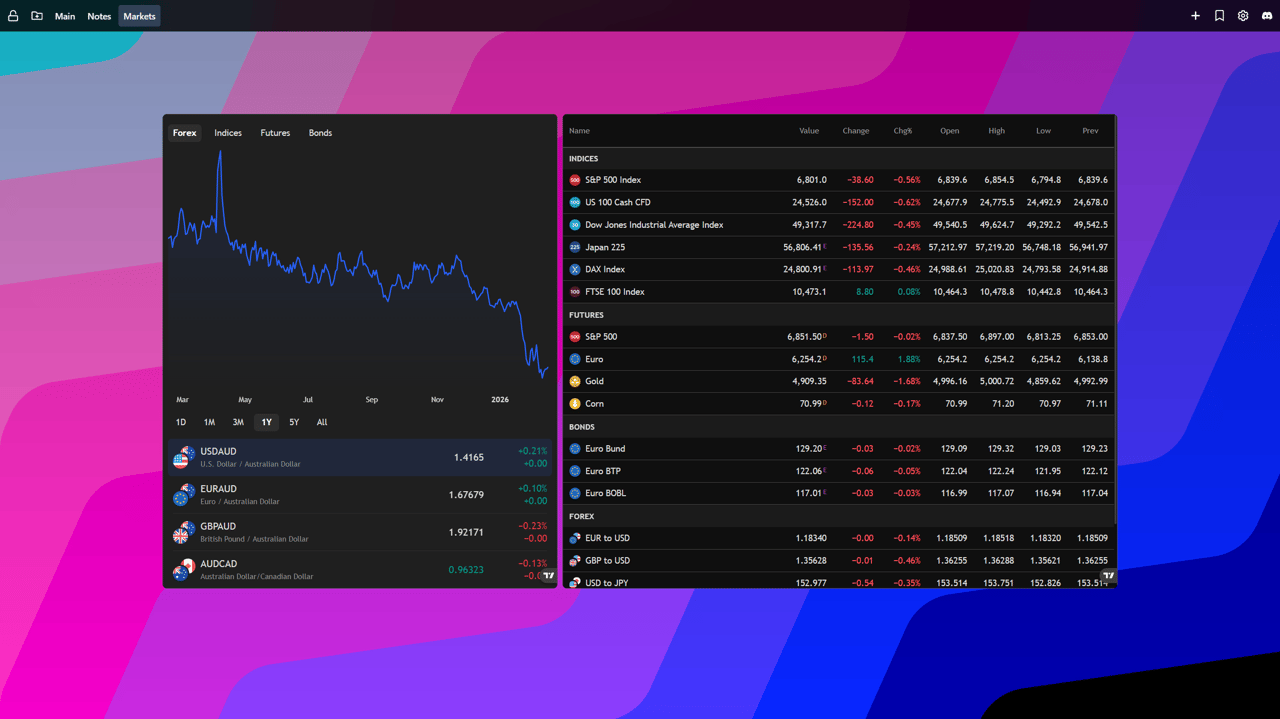
Add TradingView Widgets to Your New Tab Widgets Start Page
TradingView widgets are now built in as dedicated widgets (no iframe needed). That means faster setup, better sizing, and a cleaner experience for market data, charts, and watchlists right on your new tab.
Why use the dedicated TradingView widgets?
Your new tab page is the quickest place to check the markets. The dedicated TradingView widgets load faster, look more native, and give you the right data at a glance without juggling embed URLs or external settings pages.
How to add the TradingView widgets
- Install New Tab Widgets: If you haven't already, add the New Tab Widgets extension to your Chrome browser.
- Open a new tab: Your dashboard appears right away.
- Add a TradingView widget:
- Click the "+" button in the top navigation bar.
- Search for "TradingView" and choose the widget you want (e.g., Mini Chart, Market Overview, Ticker Tape).
- Configure it:
- Pick symbols (stocks, crypto, forex) and set your preferred interval or theme.
- Adjust size and layout, then save.
Tips for a great layout
- Pair a Market Overview with a Mini Chart to get both the big picture and a focused view.
- Use a dark theme to match TradingView charts with your overall dashboard style.
- Pin your watchlist near the top for quick scanning.
Need help?
If you cannot find the TradingView widgets, make sure you are on the latest extension version. Still stuck? Join our community on Discord and we will help you get set up.